


Offerte di Ottobre 2026 nuovo (One Month) Xremover DTC Chip Tuning Software Starter Version 5 tuned files Per Day Supports Stage1 Aggiornamento Online, Spedizione non Necessaria


Offerte di ottobre,clica qui per acquistare!
X431 PRO Elite/X431 V/V+/PRO TT/PRO5/PAD VII con ottimo prezzo,EU spedizione no tasse!
Ottimo prezzo!!
VIP Prezzo Contattarci Whatsapp: +86 18580434781
File di download correlati
Descrizione del prodotto
Xremover DTC Chip Tuning Software License Starter version
5 tuned files Per Day
One Month Subscription
XRemover is like nothing you have seen or tried before, our proprietary E-map Technology, an artificially intelligent robot programmed to serve your File requirements, developed by industry experts, allows you to custom select the tuning options you require. chip tuning software.
DTC Xremover Module is a designed to disable or delete DTCs from an ECU Flash Dump, enabling users to remove individual error codes from the ECU. There are also Updates and new Solutions.
XRemover creates dozens of new solutions every day. The solutions cover all vehicles, including tractors and heavy-duty equipment. Beyond just DTC masking, it can also reprocess the relevant maps from processed ECU files.
You can upload all original files in .bin format. The file must be original ecu file. The system cannot find a solution in processed files.
This Starter version included
- One Moneth Subscription
- 1 Licence Key (works on 1 PC)
- Unlimited process
- 5 tuned files download / per day
- Always up to date
- Request solutions ticket
- 24/7 email support
NOTE:
1). Subscription prices are a one-time fee. When your subscription expires, you must purchase again.
2). It is a digital product. No refunds.
XREMOVER Supported ECU list free download
Friendly interface
Tired of complex ECU Map analysis?
XRemover's intuitive interface makes it easy tune your ecu file, no training required! Our passionate Istanbul-based development team is constantly refining XRemover to ensure it's the most user-friendly Chip Tuning software on the market. And with clear instructions, you'll be tune ECU file like a pro in no time.
Try it for free
Get expert help any time with our friendly support team. And to see XRemover in action, try our free online demo today! You'll be amazed at how easy tuning file can be.
Tested solutions
All solutions available at our tune file service is tested and have proven sustainability and are 100% safe for a car. All software calibrations are written in house in EVC-OLS.
24/7 Support
Found a bug, or something not working as expected? Simply email info@xremover.net with a brief description of the issue in the subject line . A support ticket will be automatically logged, processed, and linked to your member account so you can track its progress.
XREMOVER 7.3.3
-
OS (Windows 10 or later is required./ NET Framework 4.7.2 or higher.)
-
Ability to select multiple solutions
-
Various bugs fixed
How to start Xremover software after activate?
1,Select Vehicle Brand & ECU Type
Choose the correct vehicle brand and its ECU type. Browse your original ECU file.
2,Search & Find Solutions
Click the start button and wait for it to find the solutions.
3,Download Tuned Files
Download the tuned ECU file you need and write it on your vehicle.
Supported DTC TABLES
Brands / ECU Types
Alfa Romeo - Bosh MED17.3.3
BMW - Bosh EDC16C31
BMW - Bosh EDC16C35
BMW - Bosh EDC16CP35
BMW - Bosh EDC17C06
BMW - Bosh EDC17C41
BMW - Bosh EDC17C50
BMW - Bosh EDC17C56
BMW - Bosh EDC17CP02
BMW - Bosh EDC17CP09
BMW - Bosh EDC17CP45
BMW - Bosh MD1CP002
BMW - Bosh MD1CS001
BMW - Bosh MED17.2
BMW - Bosh MEDV17.2.X
BMW - Bosh MG1CS003
BMW - Bosh MG1CS024
BMW - Bosh MG1CS201
Deutz - Bosh EDC17CV52
Fiat - Bosh EDC16C39 [Full Read]
Fiat - Bosh EDC17C69
Fiat - Bosh EDC17CP52
Fiat - Bosh ME17.3.0
Ford - Bosh EDC17C10
Ford - Bosh EDC17C70
Ford - Bosh EDC17CP05
Ford - Bosh EDC17CP42
Ford - Bosh MD1CS005
Honda - Bosh EDC17CP06
Honda - Bosh EDC17CP16
Hyundai/Kia - Bosh EDC16C39 [Full Read]
Hyundai/Kia - Bosh EDC17C08
Hyundai/Kia - Bosh EDC17C53
Hyundai/Kia - Bosh EDC17C57
Hyundai/Kia - Bosh EDC17CP14
Hyundai/Kia - Bosh MD1CS012
Iveco - Bosh EDC16C39 [Full Read]
Iveco - Bosh EDC17C49
Iveco - Bosh EDC17C69
Jeep - Bosh EDC17CP27
Jeep - Bosh EDC17CP55
Jeep - Bosh MEDC17.9
Land Rover - Bosh EDC17CP11
Land Rover - Bosh EDC17CP42
Land Rover - Bosh MED17.8.3x
MAN - Bosh EDC17CV42
Mercedes-Benz - Bosh EDC16CP31 [Full Read]
Mercedes-Benz - Bosh EDC17C43
Mercedes-Benz - Bosh EDC17C66
Mercedes-Benz - Bosh EDC17CP01
Mercedes-Benz - Bosh EDC17CP10
Mercedes-Benz - Bosh EDC17CP46
Mercedes-Benz - Bosh EDC17CP57
Mercedes-Benz - Bosh MD1CP001
Mercedes-Benz - Bosh MG1CP002
Mercedes-Benz - Bosh MD1CS006
Mercedes-Benz - Bosh MED17.7.X
Opel - Bosh EDC16C39 [Full Read]
Opel - Bosh EDC17C18
Opel - Bosh EDC17C19
Opel - Bosh EDC17C59
Opel - Bosh EDC17C60
Porsche - Bosh MG1CP007
PSA - Bosh EDC16C34
PSA - Bosh EDC17C10
PSA - Bosh EDC17C60
PSA - Bosh EDC17CP42
PSA - Bosh MD1CS003
PSA - Bosh MED17.4.X
Renault - Bosh MD1CS006
Toyota - Bosh EDC17C73
Toyota - Bosh EDC17CP07
VAG - Bosh EDC16U1
VAG - Bosh EDC16U31
VAG - Bosh EDC16U34
VAG - Bosh EDC16CP34
VAG - Bosh EDC17C46
VAG - Bosh EDC17C54
VAG - Bosh EDC17C64
VAG - Bosh EDC17C74
VAG - Bosh EDC17CP04
VAG - Bosh EDC17CP14
VAG - Bosh EDC17CP20
VAG - Bosh EDC17CP24
VAG - Bosh EDC17CP44
VAG - Bosh EDC17CP54
VAG - Bosh EDC17CP74
VAG - Bosh EDC17U01
VAG - Bosh EDC17U05
VAG - Bosh MD1CP004
VAG - Bosh MD1CP014
VAG - Bosh MD1CS004
VAG - Bosh ME7.1
VAG - Bosh ME7.1.1
VAG - Bosh ME7.5.X
VAG - Bosh ME7.5.10
VAG - Bosh MED9.1
VAG - Bosh MED9.5
VAG - Bosh MED9.5.10
VAG - Bosh MED17.1
VAG - Bosh MED17.1.1
VAG - Bosh MED17.1.6
VAG - Bosh MED17.1.21
VAG - Bosh MED17.1.27
VAG - Bosh MED17.5
VAG - Bosh MED17.5.2
VAG - Bosh MED17.5.5
VAG - Bosh MED17.5.21
VAG - Bosh MED17.5.25
VAG - Bosh MG1CS001
VAG - Bosh MG1CS111
VAG - Bosh MG1CS002
VAG - Bosh MG1CS011
Volvo - Bosh EDC17CP22
Volvo - Bosh EDC17CP48
FAQ:
Getting Started
1. What is XRemover and how does it work?
XRemover is like nothing you have seen or tried before, our proprietary E-map Technology, an artificially intelligent robot programmed to serve your File requirements, developed by industry experts, allows you to custom select the tuning options you require. chip tuning software. Requires Windows 10+ 64bit.
2. What's inside the package in XRemover?
You can purchase the XRemover program license key for 1 month, 6 months or annually. If you want, you can also pay per file.
3. What type of file should I upload to the software?
You can upload all original files in .bin format. The file must be original ecu file. The system cannot find a solution in processed files.
4. Can I write the downloaded file directly to the vehicle?
Yes You can. Your device will make checksum and write it. If the device cannot checksum, you can checksum with a Winols software.
5. I uploaded a file but couldn't find any solution. What should I do?
The solutions found in XRemover are successful solutions that have been done and tried before. If there is no solution when you upload your ECU file, it is a file that has not been made yet. Not all solutions are available for every ECU. You can check if there is a solution for the ECU you are looking for without purchasing the XRemover software.
6. I forgot my licence key, what should I do?
You can find out your license key by signin. If you have lost your login information, you can reset it from the I forgot my password link.
Purchase and License
1. How much does XRemover cost?
You can purchase the XRemover program license key for 1 month, 6 months or annually. If you want, you can also pay per file.
2. How many can I process ECU file per day? How many tuned files can I download ?
You can make unlimited process. The number of file downloads per day is limited. You can download 5 tuned files per day with 1 and 6-month license keys, and 20 tuned files per day with 1-year license key.
3. I didn't receive the license key after purchased
Your license key is sent to your e-mail address after payment. If you are having problems, please contact us at info@xremover.net
4. How to request a refund?
There are no refunds for digital services/products.
5. Does the monthly payment continue automatically?
No. Subscription prices are a one-time fee. When your subscription expires, you must purchase again. NOT AUTOMATIC WITHDRAWAL.
Supported Solution:

Support stage 1

Software display:


Marchio Caldo Prodotti:











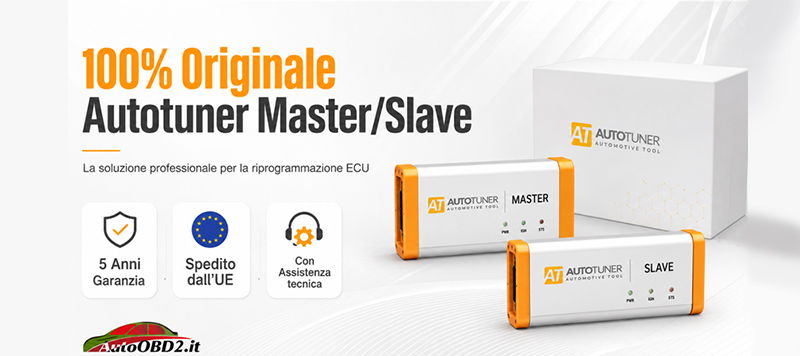
Originale Autotuner con Garanzia di 5 Anni!
I prodotti più venduti in Italia :


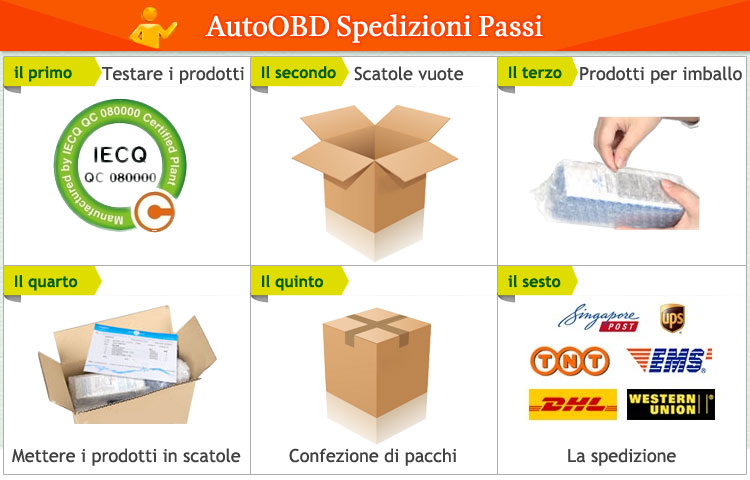
Modalità di spedizione e tempi di consegna:
EU(Ceca) Spedizione: 3-5 giorni lavorativi: Abbiamo immagazzinato articoli di vendita caldi in EU (Ceca) e Amazon EU(Ceca) Warehouse, che è più conveniente per te. TASSE gratuita, spedizione più veloce con un prezzo più economico.
Spedizione DHL: 3-4 giorni lavorativi, per aiutarti nella liquidazione, ti aiuteremo a dichiarare un prezzo più basso sulla liquidazione della fattura. Se l'indirizzo è remoto, il cliente ha bisogno di pagare il trasporto remoto o spediremo tramite posta normale o Yanwen Express.Ma ora spediamo con DHL ce dogana da pagare,qundi se non vuoi pagare dogana spese spediamo con YANWEN EXPRESS.
Yanwen Express: 5-10 giorni lavorativi, di solito nessuna tassa per i paesi europei o l'area remota. La tassa era pre-pagata, quando il pacchetto è stato raggiunto, non c'è nessuna tassa per i clienti.
Qualsiasi domanda, non esitate a contattarci:
Whatsapp: +86 18580434781
Email: Sales@AutoOBD2.it
Live-Chat: Chatta con noi Online